When I helped my dad set up his iPhone last spring, he stopped and asked me something I didn’t immediately know how to answer.
“Wait — I just added you as an Emergency Contact. But the Health app is also asking me to fill in a Medical ID. Aren’t those the same thing?”
They’re not. But I completely understand why it feels that way. Both features live in the same app, both involve “emergencies,” and both can include contact information. The confusion is real — and it matters, because in a genuine emergency, these two features do completely different jobs for completely different people.
This guide breaks down exactly what each one is, who uses it, and why — for most people — you genuinely need both.
✅ Quick Comparison: Emergency Contact vs. Medical ID
| Emergency Contact | Medical ID | |
|---|---|---|
| Who sees it | Your listed contacts (family/friends) | First responders, paramedics, ER staff |
| When it activates | After Emergency SOS call ends | From the lock screen — before or during any emergency |
| What it sends | Automated text + your GPS location | Medical details: conditions, medications, allergies, blood type |
| Requires internet? | Yes — to send alerts | No — visible on lock screen without unlocking |
| Can they call back? | Yes — it’s a real person’s number | No — it’s a data profile, not a person |
| Purpose | Notify trusted people you’re in crisis | Inform responders how to treat you safely |
What an Emergency Contact Actually Does
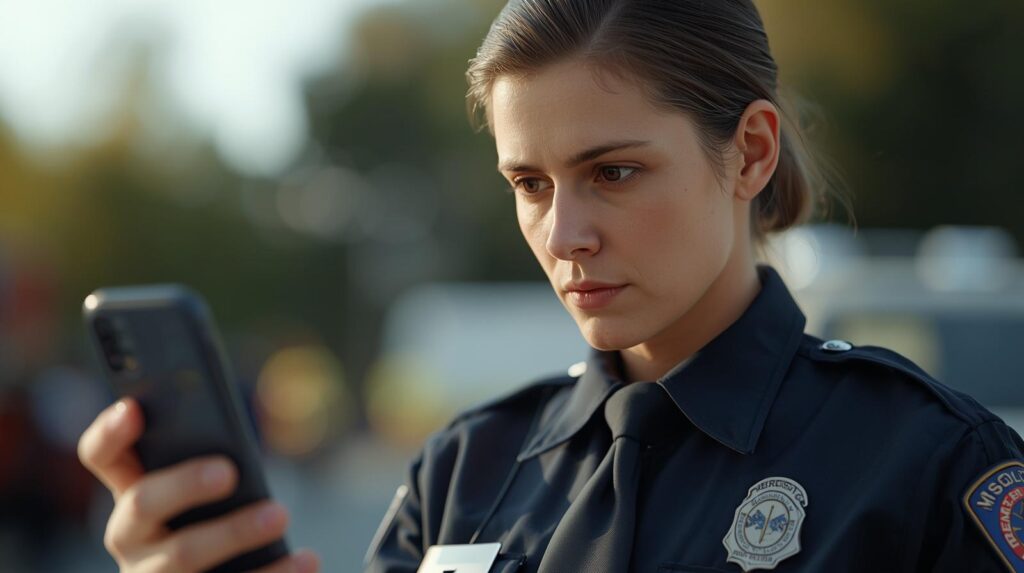
An Emergency Contact is a real person — someone you trust — who gets notified when you trigger Emergency SOS on your phone.
After an emergency call ends, your iPhone alerts your emergency contacts with a text message, unless you choose to cancel. Apple Support That message tells them you’ve called emergency services and includes your current GPS location. If your location changes, they receive updates.
On Android, the process works similarly. When a safety check starts, emergency contacts get a text with your name, the duration of your safety check, and a reason if you provided one. If you start an emergency share manually or can’t mark yourself as OK, Google shares a link to find your real-time location and remaining battery percentage in Google Maps. Google Support
The Emergency Contact feature is entirely about people in your life being reached. It’s designed to loop in your spouse, an adult child, a close friend — whoever you’d want to know you’re in trouble.
What Emergency Contacts cannot do: they can’t tell first responders that you’re allergic to penicillin. They can’t communicate your blood type to the ER. They won’t show up on your phone’s lock screen for a paramedic to see. That’s Medical ID’s job.
What Medical ID Actually Does
Medical ID is not a person. It’s a data profile — a structured set of health information that lives on your phone and is designed to be read by first responders when you can’t speak for yourself.
Medical ID helps first responders access your critical medical information from the lock screen, without needing your passcode. They can see information like allergies and medical conditions as well as who to contact in case of an emergency. Apple Support
On iPhone, Medical ID lives inside the Health app and can display:
- Medical conditions (diabetes, epilepsy, heart conditions, etc.)
- Medications and dosages
- Allergies and reactions
- Blood type
- Organ donor status
- Emergency contact names and numbers
On Android, the equivalent is called “Emergency Information” or “Emergency Info” — found under Settings → Safety & Emergency. It holds the same categories and can be set to display on the lock screen.
Critically, when you dial 911 on iPhone, your Medical ID information is automatically shared with dispatchers and first responders. Wawanesa You don’t have to do anything. The phone sends it on your behalf.
Why Both Features Matter — A Real-World Scenario
Here’s the clearest way I know to explain why these aren’t interchangeable.
Imagine a 68-year-old woman has a diabetic episode and loses consciousness in a park. A bystander calls 911 and hands the paramedics her phone.
Without Medical ID set up: The paramedics see a locked phone. They don’t know she has diabetes. They can’t see her medications. There’s no blood type. Every test they run takes longer, and wrong assumptions can lead to dangerous treatment decisions.
With Medical ID set up: The paramedics tap “Emergency” on the lock screen, then “Medical ID.” They immediately see: Type 1 Diabetic, on insulin, allergic to sulfa drugs, blood type O+. When first responders know your pre-existing conditions and medications, it speeds time to diagnosis Medicalert — and that time difference can be life-or-death.
Now, once the paramedics stabilize her and she’s en route to the hospital — who calls her husband? Who picks up her grandchildren?
That’s what the Emergency Contact is for. The automated SOS text already went to her husband’s phone the moment 911 was called. He knows she’s in trouble and has a map link to find her.
Neither feature replaces the other. They operate in parallel, serving different people at different points in the same emergency.
Where People Get Confused: The Overlap
Here’s where it gets tricky: Emergency Contacts appear inside Medical ID.
On iPhone, you actually add your emergency contacts through the Health app → Medical ID screen. This leads many people to think they’re the same feature. They’re not — the Emergency Contact entries in Medical ID serve two purposes simultaneously:
- Their names and phone numbers are visible on your Medical ID — so a first responder can call your husband or daughter directly from your lock screen without unlocking the phone.
- They receive automated SOS alerts when Emergency SOS is triggered.
So they share a setup location, but they function independently.
Do You Need Both? The Short Answer Is Yes
If you’re wondering whether to skip one, here’s the practical breakdown:
You need Medical ID if: You have any medical condition, take any medication, have any allergy, or if it’s remotely possible that you could be in a situation where you can’t speak and a first responder needs to make treatment decisions. That describes nearly everyone.
You need Emergency Contacts if: You have people in your life who would want to know you’re in an emergency. Again — nearly everyone.
Emergency contacts are the first people first responders and emergency medical staff will reach out to in an emergency. Having designated ICE contacts set up is essential because these are the individuals who will have the authority to act on your behalf if you are unable to communicate. Medicalert
The only scenario where you might prioritize one over the other: if you’re setting up a phone for a very young child, Medical ID matters more (allergies, conditions, parent contact details visible to any adult who finds the phone). For a healthy adult with no medical history, Emergency Contacts matter more in most situations.
For seniors, people with chronic conditions, and anyone who spends time alone — both features are genuinely important. Think of it as two layers of protection that work together rather than two versions of the same thing.
Quick Setup Checklist
iPhone — Medical ID setup:
- Open the Health app
- Tap your profile photo → Medical ID
- Tap Edit → fill in conditions, medications, allergies, blood type
- Scroll to Emergency Contacts → Add at least one
- Turn on Show When Locked
- Turn on Share During Emergency Call
- Tap Done
Android — Emergency Information setup:
- Open Settings → Safety & Emergency
- Tap Emergency Information or Medical Information
- Add medical details and emergency contacts
- Enable Show on Lock Screen (if available on your device)
FAQ
Q. If I add someone as an Emergency Contact in Medical ID, do they know? No — they aren’t notified when you add them. They only receive a message when Emergency SOS is actually triggered. It’s worth telling them in advance so they aren’t confused if they receive an automated alert one day.
Q. Can first responders call my emergency contacts directly from my phone? Yes — on iPhone, once a first responder opens the Medical ID on your lock screen, they can see your emergency contact names and tap to call them directly. This works without unlocking the phone.
Q. What if my phone is dead or lost? Will emergency contacts still be notified? No. Both features require your phone to be functioning. If your battery dies or your phone is lost, a physical card or note with critical medical data is still a good backup to keep in a wallet. StratusIQ For people with serious medical conditions, a physical medical alert bracelet or card is still recommended alongside the digital setup.
Q. Do I need to update Medical ID regularly? Yes — and this is something many people set up once and forget. Any time your medications change, you’re diagnosed with a new condition, or your emergency contacts change their phone numbers, your Medical ID should be updated. A good habit is to review it every six months, or whenever you visit your doctor.
More from myinfobay.com
Looking to complete your emergency setup? These related guides walk through the step-by-step process on each platform:
- How to Set Up Emergency Contacts on Android (Important Safety Feature for Seniors)
- How to Set Up Emergency Contacts on iPhone for Seniors (Medical ID & SOS Guide)
- What Happens When Someone Calls Your Emergency Contact? (A Complete Explanation)

스마트폰과 IT 기기를 오랫동안 직접 구매하고 사용해온 일반 사용자입니다.
화려한 스펙보다 “실제로 쓸 만한가”를 더 중요하게 봅니다.
갤럭시와 아이폰을 병행 사용하면서 느낀 점, 설정하면서 막혔던 것들,
부모님 폰 세팅해드리며 깨달은 것들을 솔직하게 정리하고 있습니다.
특히 스마트폰을 어렵게 느끼는 분들, IT 초보자, 부모님 세대를 위한
쉽고 실용적인 가이드에 집중합니다.
“나도 해봤는데 이렇더라” — 그 한마디가 이 블로그의 시작이었습니다.
📩 문의 및 제보: kim.wasp@gmail.com