My aunt lives alone in a two-bedroom house in Ohio. She’s in her mid-seventies, sharp as a tack, and deeply attached to her independence. She also had a fall in her kitchen last February.
She was on the floor for four hours before a neighbor noticed her car hadn’t moved.
She was okay, eventually. But the experience changed how our family thinks about the gap between “she’s fine” and “someone actually knows she’s fine.” Those are two very different things — and the right app can close that gap without making your loved one feel watched or managed.
This guide covers the six best apps for seniors living alone in 2026, tested and compared by what actually matters: ease of use, cost, how they notify emergency contacts, and whether they realistically hold up when something goes wrong.
✅ Quick Comparison: 6 Best Apps at a Glance
| App | Best For | Cost | Fall Detection | Works Without Smartphone? |
|---|---|---|---|---|
| Snug Safety | Daily check-in reassurance | Free / $19.99/mo dispatch | ❌ | No |
| Life360 | Family location sharing | Free / $14.99–$24.99/mo | ❌ | No |
| Red Panic Button | Simple one-tap SOS alerts | Free (1 contact) / $4.99/mo | ❌ | No |
| FallSafety Home | Fall detection + alerts | $4.99/mo | ✅ (via accelerometer) | No |
| Medical Guardian | Monitored 24/7 response | From $37.95/mo | ✅ (optional) | Yes — wearable device |
| Rescu | Fast 911 dispatch + contact alert | Contact for pricing | ❌ | No |
1. Snug Safety — Best Free Daily Check-In App
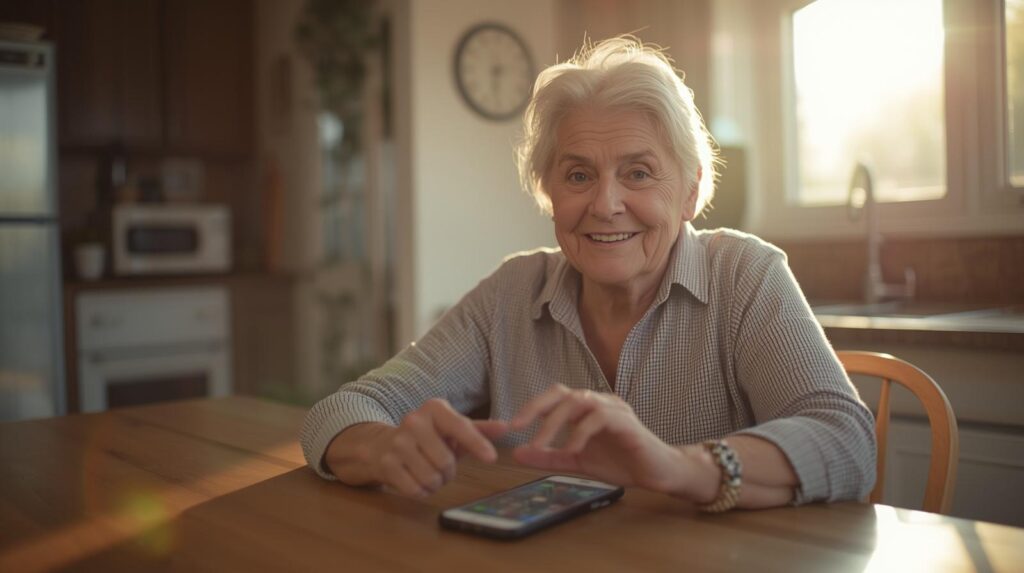
If you’re looking for the single most practical starting point for a senior living alone, Snug Safety is it.
Snug is a simple, reliable daily check-in app designed to give peace of mind to people who live alone. Download the free app, add your emergency contacts, and select your daily check-in time. Snug will check in with you every day — just tap the green button to confirm you’re okay. If you miss your check-in, Snug will alert your emergency contacts to make sure someone checks in on you. Snug Safety
Snug has logged over 20 million daily check-ins and has been featured by AARP and Forbes. Google Play The free plan includes one check-in time per day and unlimited emergency contacts (contacts need a smartphone). The paid Dispatch Plan at $19.99/month adds a phone call from Snug’s team if you miss a check-in — preventing the scenario where an adult child is panicking from a false alarm — and then coordinates a wellness check with local EMS if needed.
What makes it work for seniors who resist technology: the interface is a single large green button. That’s the entire interaction. One tap, once a day.
Who it’s for: Seniors who live alone and are otherwise independent — especially those with no one who checks in regularly. Also great for adult children who want peace of mind without surveillance.
Honest limitation: Snug doesn’t detect falls automatically. If a parent falls and can’t reach their phone, the alert won’t fire until the daily check-in window passes — which could be hours. Pair it with a fall detection app or wearable if this is a concern.
Cost: Free basic plan. Dispatch Plan starts at $19.99/month.
2. Life360 — Best for Families Who Want Location Visibility
Life360 is a leading location safety, messaging tool, and communication app. With features like “Place Alert,” it offers GPS location sharing and tracking for families. Loved ones can access real-time GPS tracking, set up geofenced areas for notifications when a family member exits a designated safe zone, and receive alerts about accidents and falls. Sonata Senior Living
Life360 works best when the whole family is on board. Unlike Snug — where the senior operates independently — Life360 is a shared family tool. Everyone joins a “Circle,” location sharing stays on, and family members can see each other on a map at any time.
Life360’s location is constantly visible on a family map for monitoring and coordination. Note that data is sold after being anonymized, though you can opt out. Snug Safety This privacy trade-off is worth knowing before you set it up for a parent.
The free tier is genuinely useful for basic location sharing. Paid tiers ($14.99–$24.99/month) add crash detection, emergency dispatch, and SOS alerts.
Who it’s for: Families who want ongoing location awareness, not just emergency alerts. Best for parents who are comfortable with constant location sharing and have family members who’ll actually check the app.
Honest limitation: Requires buy-in from the whole family — contacts need the app installed. Some seniors find constant location visibility uncomfortable, feeling it crosses into surveillance territory.
Cost: Free basic tier. Premium plans from $14.99/month per Circle.
3. Red Panic Button — Best for Simplicity
With a single press of the literal “big red button” that appears on mobile devices, this app will send text messages and emails with exact GPS coordinates embedded in a Google Maps link to a list of designated emergency contacts. Sonata Senior Living
Red Panic Button does one thing: sends an immediate alert with your location when you press it. No subscriptions to manage, no learning curve, no daily habit to build. For seniors who don’t want anything complicated, this is worth knowing about.
The free version is limited to one emergency contact. The paid version at $4.99/month expands to five contacts and keeps the contact list active.
Who it’s for: Seniors who are tech-hesitant but can manage a single large button. Also useful as a backup layer alongside a daily check-in app.
Honest limitation: It only works if the senior can reach their phone and press the button. Falls that cause immediate incapacitation — the most dangerous kind — won’t trigger it.
Cost: Free (1 contact). $4.99/month for full contact list.

4. FallSafety Home — Best for Fall Detection Without a Wearable
Falls are the most serious risk factor for seniors living alone. The CDC estimates that one in four adults over 65 falls each year — and outcomes are significantly better when help arrives quickly.
With the FallSafety Home app, users can turn their phones or smartwatches into automatic fall detection devices. Once you’ve set up your account, the app runs continuously whether you’re using your phone or not. If you fall, the app will automatically detect it with the phone’s built-in accelerometer, and a panic button will appear on the screen. Pressing the button will notify your emergency contacts, providing a lifeline when you need it most. Rescu
The free version supports one emergency contact. The paid version at $4.99/month expands to five contacts and adds a siren alarm that can help first responders or neighbors locate the person.
Who it’s for: Seniors who want fall detection but won’t wear a medical alert pendant or watch. Also a good option for iPhone users (the app is currently Apple-only).
Honest limitation: The phone needs to be on or near the person for fall detection to work. A phone left on a kitchen counter won’t detect a fall in the living room.
Cost: Free (1 contact). $4.99/month for full features.
5. Medical Guardian — Best for 24/7 Monitored Response
If your parent has significant health concerns or lives in a location where family can’t respond quickly, the previous apps may not be enough. Medical Guardian bridges the gap between smartphone apps and traditional medical alert systems.
Medical Guardian’s MGHome Cellular Alert System provides 1,400-foot in-home coverage and 4G connectivity. Pressing the button instantly links you to 24/7 U.S. operators who can dispatch EMTs, police, or your Care Circle contacts, with two-way voice communication. Disabilitease
Unlike the apps above, Medical Guardian includes a physical wearable device — a wrist button and optional lanyard — which means it works even when a senior can’t reach their phone. The companion app keeps family members in the loop with a portal showing alert history and location.
Medical Guardian and Bay Alarm Medical are consistently rated the best overall options for seniors living alone in 2026. In-home systems start at $37.95/month; adding automatic fall detection costs approximately $10/month extra. Senioraffair
Who it’s for: Seniors with chronic health conditions, a history of falls, or anyone whose family needs 24/7 monitored backup — not just app alerts.
Honest limitation: Monthly cost is higher than app-only options. The wearable device requires charging (typically every few days) and seniors must remember to wear it.
Cost: From $37.95/month for the in-home system.
6. Rescu — Best for Instant 911 Dispatch Without Calling
Seniors who live alone can use the Rescu app to instantly dispatch first responders to their location in just two taps on their smartphone. When you set up your account, the app asks for relevant personal and medical information as well as emergency contacts you’d like notified. When you send an alert, the app instantly sends your information to emergency responders — and also automatically sends a text to each of your emergency contacts. Rescu
The appeal here is the no-call system. For seniors who find it difficult to explain an emergency clearly on the phone — whether due to pain, confusion, or simply the stress of the moment — Rescu removes that barrier entirely. Help is dispatched with your location and medical information in two taps.
Who it’s for: Seniors who may struggle to communicate effectively in an emergency. Also useful for people with medical conditions like epilepsy or heart conditions where a sudden event could make phone communication impossible.
Cost: Contact Rescu directly for current pricing — plans vary by region and features selected.
How to Choose the Right App for Your Parent
The best app depends on two things: your parent’s tech comfort level and the specific risk you’re most worried about.
If your main concern is “would we know within hours if something happened” — start with Snug Safety’s free plan. It’s the lowest-friction option that actually covers the most common scenario: a slow-onset emergency that no one notices quickly enough.
If the concern is falls specifically — FallSafety Home on iPhone or a wearable device like Medical Guardian are the options that work even when a parent can’t press a button.
If your parent resists anything that feels like being “monitored” — Snug Safety again, because the daily check-in is framed as something the senior does for themselves, not something their family does to them. That framing matters for long-term adoption.
And if you want a layered approach: many families use Snug as the daily foundation, with the phone’s built-in Emergency SOS set up as a backup for acute situations.
FAQ
Q. Do these apps replace setting up Emergency Contacts on the phone itself? No — and they shouldn’t. Your parent’s phone’s built-in emergency contact setup (through Medical ID on iPhone, or Safety & Emergency on Android) is the first layer that first responders see. Apps like Snug and Life360 are the second layer — for the scenarios where emergency services haven’t been called yet. Both layers together are stronger than either alone.
Q. What if my parent forgets to check in on Snug every day? Missed check-ins are the whole point of the app. If they forget, their designated contacts get notified. That said, building the habit is important — many users set a recurring phone alarm a few minutes before their check-in time to make sure they don’t miss it.
Q. My parent refuses to use any app. What’s the next best thing? The phone’s built-in Medical ID (iPhone) or Emergency Information (Android) is the most important setup that requires zero daily habit from your parent. A first responder can access it from a locked screen without any app at all. Start there.
You Might Also Like
- How to Set Up Emergency Contacts on Android (Important Safety Feature for Seniors)
- How to Set Up Emergency Contacts on iPhone for Seniors (Medical ID & SOS Guide)
- What Happens When Someone Calls Your Emergency Contact? (A Complete Explanation)

스마트폰과 IT 기기를 오랫동안 직접 구매하고 사용해온 일반 사용자입니다.
화려한 스펙보다 “실제로 쓸 만한가”를 더 중요하게 봅니다.
갤럭시와 아이폰을 병행 사용하면서 느낀 점, 설정하면서 막혔던 것들,
부모님 폰 세팅해드리며 깨달은 것들을 솔직하게 정리하고 있습니다.
특히 스마트폰을 어렵게 느끼는 분들, IT 초보자, 부모님 세대를 위한
쉽고 실용적인 가이드에 집중합니다.
“나도 해봤는데 이렇더라” — 그 한마디가 이 블로그의 시작이었습니다.
📩 문의 및 제보: kim.wasp@gmail.com