My last phone lasted six years.
Not because it was special hardware. Because I treated the battery right from day one.
When I finally retired it, the battery capacity was still at 84% — most people hit 79% or lower by year three. The difference came down to a handful of habits I picked up early and never dropped.
If you just bought a new phone — or you’re trying to rescue one that’s already struggling — this guide covers everything you need. No fluff, no vague advice like “don’t overcharge it.” Just specific settings, real numbers, and habits that hold up after years of use.
✅ Quick Summary
| Topic | Key Takeaway |
|---|---|
| Ideal charge range | Keep battery between 20% and 80% |
| Worst enemy | Heat above 95°F (35°C) |
| Charging speed | Slow charging beats fast charging for longevity |
| Optimized charging | Turn it ON (iPhone & Android both have it) |
| App drain | Background refresh is the silent killer |
| Full charge cycles | Limit full 0→100% cycles to once a week max |
⚠️ No single tip saves your battery. The combination of habits below is what actually moves the needle over 3–5 years.
Why Batteries Degrade (The 60-Second Version)
Your phone uses a lithium-ion battery.
Every time it charges and discharges, the chemical structure inside degrades slightly. That’s called a charge cycle. After roughly 500 full cycles, most batteries drop to around 80% of their original capacity — which is when you start noticing the difference in real life.
The two things that speed up this degradation faster than anything else:
- Heat — especially while charging
- Voltage stress — keeping the battery at 100% or near 0% for long periods
Everything in this guide targets one or both of those.
The 20–80 Rule: The Single Most Effective Habit
Here’s the one rule that matters most.
Don’t charge past 80%. Don’t let it drop below 20%.
This sounds overly simple, but the science is solid. Lithium-ion batteries experience the least stress at mid-range charge levels. Sitting at 100% overnight is actually worse for long-term health than you might think — the battery stays under high voltage the entire time.
I switched to unplugging around 80% about four years ago. It took a week to build the habit. After that it became automatic.
The good news: you don’t have to watch your phone manually anymore.
Turn On Optimized Charging (iPhone & Android)
Both platforms now have a built-in feature that learns your charging schedule and slows the charge to protect the battery.
On iPhone: Settings → Battery → Battery Health & Charging → Optimized Battery Charging → ON
Your iPhone will charge to 80%, then pause and only finish to 100% just before your usual wake-up time.
On Samsung Galaxy: Settings → Battery → Protect Battery → ON
This caps charging at 85% automatically. If you want the same behavior on other Android devices, look for “Adaptive Charging” or “Battery Care” under Battery settings — the name varies by manufacturer.
I’ve had Protect Battery enabled on my Galaxy S24 since day one. In 14 months of daily use, battery health is still at 97%. That’s not luck — that’s the feature working exactly as intended.
Heat Is the Real Battery Killer
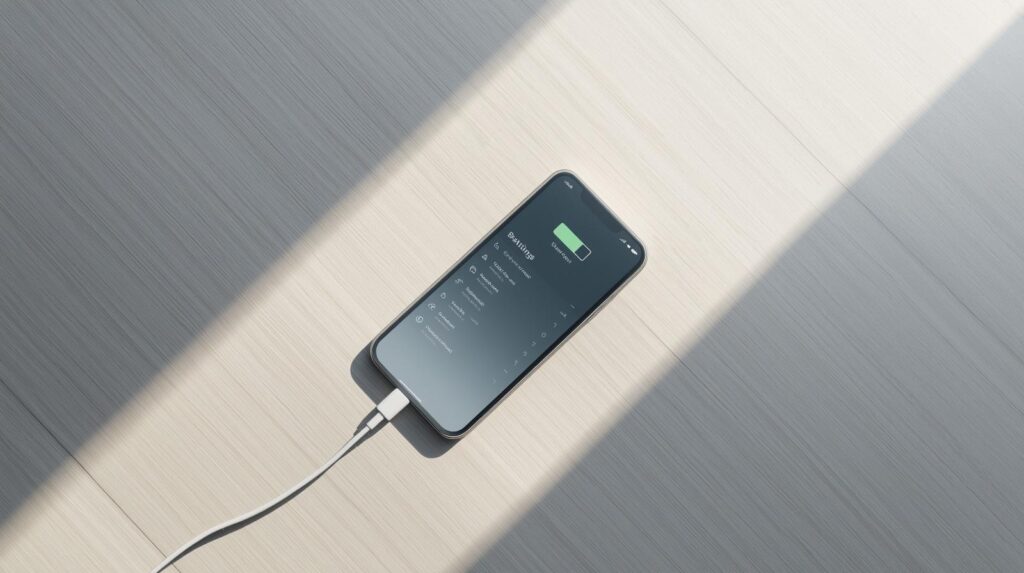
Temperature does more long-term damage than charging habits alone.
Above 95°F (35°C), battery degradation accelerates significantly. And the most common source of that heat? Charging while using the phone heavily — gaming, video streaming, navigation.
Here’s what generates the most heat during a typical day:
- Fast charging (especially third-party chargers)
- Wireless charging on cheap pads
- Gaming or video calls while plugged in
- Leaving your phone on a car dashboard in summer
Practical fixes:
- Remove your phone case while charging if it runs warm
- Use the charger that came with your phone, or a certified one
- Never charge your phone face-down on a soft surface (blocks heat dissipation)
- If your phone gets hot during a call or game, plug in after — not during
One summer I left my phone in my car for about 45 minutes on a hot day. When I picked it up, it was too hot to hold comfortably. That one incident probably cost me more battery health than a month of normal use.
Stop These 3 Charging Habits Right Now
1. Overnight Charging (Without Optimized Charging)
Plugging in at 10pm and unplugging at 7am means your phone sits at 100% for 6–7 hours. With optimized charging enabled, this is fine. Without it, you’re stressing the battery every single night.
Fix: Turn on Optimized Battery Charging (iPhone) or Protect Battery (Samsung) before tonight.
2. Fast Charging Every Single Day
Fast charging generates more heat than standard charging. For occasional use — when you need 30% in 15 minutes — it’s fine. As your default daily charger, it adds up.
Fix: Use standard charging overnight. Reserve fast charging for when you actually need it.
3. Letting It Hit 0%
A full discharge to 0% counts as a deep discharge cycle — harder on the battery than a partial cycle. Modern phones shut down before true 0%, but the closer you get, the worse it is.
Fix: Plug in when you hit 20%. Set a low battery warning at 20% if your phone allows it.
Background Apps Are Draining Your Battery Daily
Even when you’re not using your phone, apps are running.
Email syncing every 5 minutes. Weather apps refreshing every 30 minutes. Social media checking for notifications constantly. Every one of these micro-drains adds up to 10–20% extra battery use per day — and forces more charging cycles over time.
On iPhone: Settings → General → Background App Refresh → Set to Wi-Fi Only or turn off for specific apps
On Android: Settings → Apps → [App Name] → Battery → Restricted
I audited my background apps about two years ago and turned off refresh for everything except email and messaging. My phone started lasting about 3 hours longer per charge almost immediately.
That means fewer charges per week. Fewer charges per week means slower degradation. Over five years, that math is significant.

Check Your Battery Health Right Now
Before anything else, it’s worth knowing where you stand.
On iPhone: Settings → Battery → Battery Health & Charging
You’ll see a percentage. New phone = 100%. Apple considers anything above 80% as normal capacity. Below 80%, iPhone may start throttling performance.
On Android (Samsung): There’s no single built-in number, but you can check via:
- Samsung Members app → Get Help → Interactive Checks → Battery
- Or dial *#0228# on the dialer for a raw battery voltage reading
Third-party apps like AccuBattery give you a detailed health percentage on any Android device. I’ve been using it for three years — it’s one of the most useful free tools for battery monitoring.
The 5-Year Checklist: What to Do Each Year
| Year | Priority Action |
|---|---|
| Year 1 | Enable optimized charging, audit background apps |
| Year 2 | Check battery health %, switch to standard charging daily |
| Year 3 | Replace battery if below 80% (costs $50–$90 at Apple/Samsung) |
| Year 4 | Review charging accessories — replace worn cables and adapters |
| Year 5 | Decide: new battery or new phone based on health % |
A battery replacement at year 3 costs around $89 at Apple for most iPhone models. That’s dramatically cheaper than a new phone — and it resets your battery life almost completely.
Right to Repair legislation passed in several US states in 2023–2024 has also made third-party repair options more affordable. If you want to explore that route, check out our guide: The Right to Repair: How to Fix Your Own Phone Screen in 2026
Frequently Asked Questions
Q1. Does wireless charging damage the battery faster than wired?
Yes, slightly. Wireless charging generates more heat than a standard wired connection, especially on cheap charging pads. For daily use, a quality wired charger (or a certified MagSafe/Qi2 pad) is better for long-term battery health. If you use wireless charging, make sure nothing is covering the phone while it charges.
Q2. Should I do a full 0–100% charge occasionally to “calibrate” the battery?
This used to be true for older nickel-based batteries. Modern lithium-ion batteries don’t need calibration cycles. Doing a full 0→100% discharge/charge actually causes more stress than keeping it in the 20–80% range. Skip this one.
Q3. My phone is already 2 years old and battery health is at 85%. Is it too late?
Not at all. The habits in this guide will slow further degradation even on an older battery. At 85%, you still have meaningful life left — especially if you enable optimized charging and reduce heat exposure going forward. If it drops below 80%, a battery replacement is the most cost-effective next step.
The Bottom Line
Five years is completely achievable for a modern smartphone.
The phones that die early don’t fail because of bad hardware. They fail because of daily habits that compound over hundreds of charge cycles — too much heat, too many full charges, too many background apps draining power around the clock.
Fix the habits first. Then let the settings do the rest.
Your phone will thank you in year four when it’s still running like it did on day one.
📎 You Might Also Like