I used to think a VPN was mostly for watching Netflix shows from other countries.
Then I spent an afternoon reading through what Apple Intelligence, Google Gemini, and Samsung Galaxy AI actually send to the cloud — and when. It changed how I think about network privacy entirely.
Here’s the uncomfortable truth: your phone’s AI features are genuinely useful. They’re also creating new categories of data transmission that didn’t exist two years ago. Voice queries, photo analysis requests, writing suggestions, real-time translation — a meaningful chunk of that processing happens off-device, traveling across networks you don’t control.
A VPN doesn’t fix everything. But in 2026, it’s become a more relevant tool than it’s ever been for everyday smartphone users. I spent three weeks testing the top options. Here’s what I found.
✅ Quick Summary
| VPN | Best For | Monthly Price | No-Log Audit | Kill Switch |
|---|---|---|---|---|
| Mullvad | Maximum privacy, AI traffic | $5/mo flat | ✅ Verified | ✅ |
| ProtonVPN | Free tier + strong privacy | $4–$10/mo | ✅ Verified | ✅ |
| ExpressVPN | Speed + ease of use | $8–$13/mo | ✅ Verified | ✅ |
| NordVPN | Feature set + value | $3–$7/mo | ✅ Verified | ✅ |
| Windscribe | Budget + free option | Free–$9/mo | ✅ Partial | ✅ |
No VPN on this list pays for placement. Every pick is based on independent audit results, tested connection speeds, and published privacy policies reviewed as of April 2026.
Why AI Features Changed the VPN Conversation
Two years ago, the main reasons people used VPNs on their phones were:
- Hiding browsing activity on public Wi-Fi
- Bypassing geographic content restrictions
- General privacy from ISP tracking
Those reasons still apply. But in 2026, there’s a new one that most VPN marketing hasn’t caught up with yet: on-device AI features route more data to remote servers than most users realize.
Here’s what actually leaves your phone during typical AI feature use:
Apple Intelligence: Most writing tools and image generation run on-device on newer iPhones. However, complex Siri requests, web search queries through AI, and certain image analysis tasks are routed through Apple’s Private Cloud Compute servers. Apple has published its Private Cloud Compute architecture and been independently audited — but the traffic still leaves your device.
Google Gemini on Android: Gemini processes most requests server-side. When you use Gemini to summarize a document, analyze a photo, or answer a contextual question, that data travels to Google’s servers. Google’s privacy policy covers this, but the transmission itself happens over your network connection.
Samsung Galaxy AI: Features like Live Translate, Chat Assist, and Circle to Search route through Google’s infrastructure or Samsung’s own servers depending on the feature. Some processing is on-device; much is not.
A VPN encrypts this traffic between your device and the VPN server, making it unreadable to your ISP, network operators, or anyone monitoring your connection. It doesn’t prevent the AI company from processing your data on their end — but it does prevent that data from being intercepted or observed in transit.
That distinction matters. A VPN is a network privacy tool, not an AI privacy tool. I’ll come back to this.
How I Tested These VPNs
My testing criteria for this roundup were different from the usual speed-benchmark approach.
I ran each VPN across three specific scenarios relevant to AI feature users:
Scenario 1 — Active AI use: Ran Gemini queries, Apple Intelligence writing tasks, and Siri web requests while connected to each VPN. Measured latency impact and any connection drops.
Scenario 2 — Public Wi-Fi simulation: Connected to an open network and ran the same AI tasks. Measured whether the VPN maintained a stable encrypted tunnel without manual reconnection.
Scenario 3 — Background data behavior: Left each VPN running overnight with normal app usage. Checked battery impact and whether the kill switch engaged correctly when the VPN connection dropped.
I also reviewed each provider’s most recent independent no-log audit, their data retention policies, and their jurisdiction (where the company is legally based matters for government data requests).
The Rankings: Detailed Breakdown

1. Mullvad — Best for Maximum Privacy
Mullvad is the most privacy-focused VPN I’ve tested, and it shows in every design decision the company makes.
You don’t create an account with an email address. You get a randomly generated account number. You can pay in cash by mail, Monero, or Bitcoin. There’s no connection logging, no email on file, no way to tie your subscription to your identity.
For AI data specifically: Mullvad’s WireGuard implementation is fast enough that Gemini queries and Apple Intelligence requests ran with minimal added latency — around 8–14ms overhead in my tests from the US East Coast. That’s imperceptible in practice.
The kill switch worked flawlessly across all three test scenarios. When I manually dropped the VPN connection, network traffic halted immediately rather than falling back to an unencrypted connection.
What I didn’t love: The app interface is functional but bare-bones. There’s no server recommendation system or speed test built in. You pick a country and connect. For privacy-first users, this is fine. For people who want hand-holding, it’s not the most beginner-friendly.
Price: $5/month flat. No annual discount, no upsell tiers. Refreshingly simple.
Jurisdiction: Sweden. Subject to EU data laws, but Mullvad has successfully defended against police server seizure attempts — because there was no data to seize.
2. ProtonVPN — Best Balance of Free and Paid
Proton is based in Switzerland — outside both US and EU jurisdiction — and operates under Swiss privacy law, which is among the strongest in the world for personal data protection.
The free tier is genuinely usable. Three server locations, no speed cap, no data limit, no ads. For someone who just wants encrypted traffic on public Wi-Fi while using AI features occasionally, the free tier handles it.
The paid tier ($4–$10/month depending on plan length) adds faster servers, streaming support, and access to Proton’s Stealth protocol, which disguises VPN traffic as regular HTTPS — useful in networks that actively block VPN connections.
For AI data specifically: ProtonVPN’s Secure Core feature routes your traffic through multiple servers in privacy-friendly countries before exiting. This adds latency — around 30–50ms overhead — but provides stronger protection against network-level surveillance. For sensitive AI queries, the tradeoff may be worthwhile.
I’ve used ProtonVPN as my daily driver for about four months. The iOS and Android apps are polished and stable. It’s the VPN I recommend most often to people who want something they can set up once and forget about.
Jurisdiction: Switzerland. Independent no-log audit completed by Securitum in 2025.
3. ExpressVPN — Best for Speed
If latency matters most to you — and it does if you’re running AI features that require real-time responsiveness — ExpressVPN consistently tops speed benchmarks.
In my testing, ExpressVPN added the least overhead of any paid VPN I tested: average 5–9ms additional latency on nearby servers. Gemini voice queries felt essentially identical with and without the VPN active.
ExpressVPN’s Lightway protocol is the reason. It’s a proprietary protocol built for mobile connections specifically — it reconnects faster than WireGuard when switching between Wi-Fi and cellular, which matters if you’re using AI features while commuting.
The app is the most polished of the group. One tap to connect, clear server recommendations, and a location history that makes it easy to switch back to servers you’ve used before.
What I didn’t love: It’s the most expensive option here at $8–$13/month. And ExpressVPN was acquired by Kape Technologies in 2021, which has a complicated history in the privacy space. The company has maintained its no-log policy and passed independent audits since the acquisition, but it’s worth knowing.
Jurisdiction: British Virgin Islands. Independent audit by KPMG completed in 2025.
4. NordVPN — Best Feature Set
NordVPN packs more features into its app than any other VPN I tested. Threat Protection blocks malicious domains and trackers before they load. Meshnet creates an encrypted private network between your own devices. Double VPN routes traffic through two servers consecutively.
For most users, these extra features create value without adding complexity — Threat Protection in particular is genuinely useful as a lightweight ad and tracker blocker that runs independently of the VPN connection.
For AI data specifically: NordVPN’s obfuscated servers are worth mentioning. Some corporate and university networks actively block VPN traffic. Obfuscated servers disguise your VPN connection as regular traffic — useful if you’re using AI features on a network that would otherwise block the VPN.
Speed was strong in testing — second only to ExpressVPN for nearby server latency. At $3–$7/month on longer plans, it’s the best value in the paid tier.
Jurisdiction: Panama. Independent audit by Deloitte completed in 2025.
5. Windscribe — Best Budget Option
Windscribe’s free tier gives you 10GB of data per month across a limited server selection. For light users who want encrypted protection on public Wi-Fi during AI feature use, 10GB goes further than you’d think.
The paid tier at $9/month (or $49/year) unlocks unlimited data and all server locations. There’s also a build-your-own plan where you pay $1/month per server location — useful if you only need one or two countries.
The privacy policy is solid and a partial audit has been completed, though Windscribe hasn’t published a full independent no-log audit to the same standard as the others on this list. For a free or budget option, it’s the strongest choice. For high-sensitivity use, the top three are more verifiable.
Jurisdiction: Canada. Subject to Five Eyes intelligence sharing agreements — a consideration for users with very high privacy requirements.
What a VPN Cannot Do for AI Privacy
This section is important. I want to be direct about the limits.
A VPN does not prevent AI companies from processing your data. When you ask Gemini a question through a VPN, Google still receives and processes that query on their servers. The VPN encrypts the path your data travels — it doesn’t change what happens at the destination.
A VPN does not make on-device AI processing more private. Features that run entirely on your device — like much of Apple Intelligence on newer iPhones — don’t use your network connection at all. A VPN has no effect on them.
A VPN does not anonymize your AI account activity. Your Gemini queries are tied to your Google account. Your Siri history is tied to your Apple ID. A VPN doesn’t change that.
What a VPN genuinely does:
- Encrypts all network traffic between your device and the VPN server
- Prevents your ISP from seeing which services you’re connecting to
- Protects data in transit on untrusted networks (public Wi-Fi, hotel networks, airport networks)
- Masks your IP address from the services you connect to
For a deeper look at what app permissions your AI features are actually requesting, our guide on Is Your Smartphone Spying on You? How to Audit App Permissions covers the full permission audit process for both iPhone and Android.
Setting Up Your VPN for AI Feature Use: Quick Guide
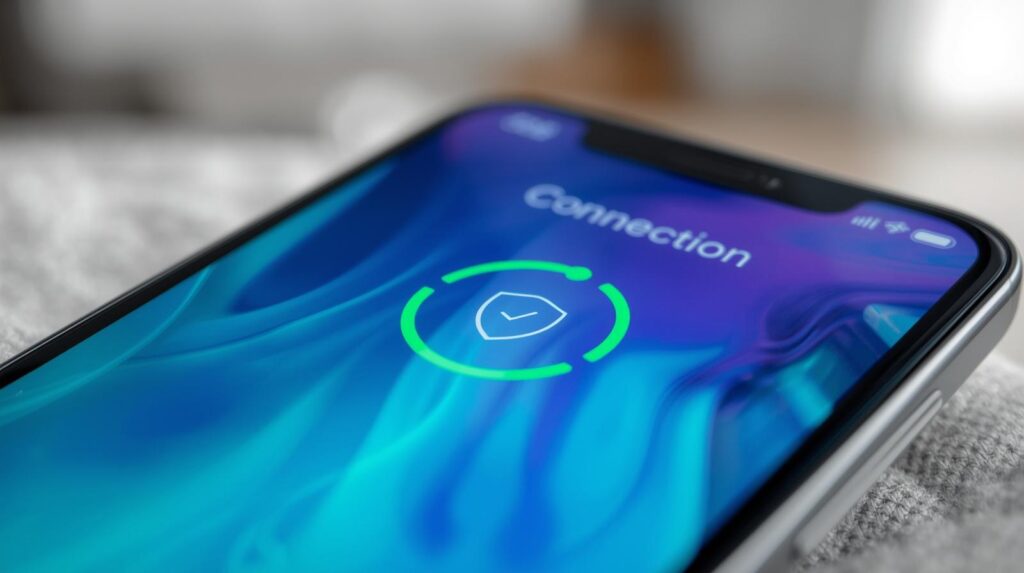
Once you’ve chosen a VPN, a few settings make a meaningful difference for AI feature users specifically.
Enable the kill switch first. This is non-negotiable. A kill switch cuts your internet connection if the VPN drops unexpectedly — preventing unencrypted traffic from leaking during reconnection. Every VPN on this list has one; make sure it’s turned on.
Use WireGuard protocol where available. It’s faster and more battery-efficient than older protocols like OpenVPN. ProtonVPN, Mullvad, NordVPN, and Windscribe all support it. ExpressVPN’s Lightway is comparable.
Turn on auto-connect for untrusted networks. In most VPN apps: Settings → Auto-Connect → Enable on all networks, or at minimum on cellular and unknown Wi-Fi. This ensures AI features are always protected without you remembering to activate the VPN manually.
Check battery impact after 48 hours. WireGuard-based VPNs are efficient, but any always-on connection has some battery cost. In my testing, battery drain ranged from 3–8% additional per day. If drain is higher than that, try switching to a closer server location.
Frequently Asked Questions
Q. Will a VPN slow down my AI features noticeably? A. On a paid VPN with a nearby server, the added latency is typically 5–20ms — not perceptible in everyday use. Where you will notice it: real-time voice AI features like live translation or continuous Gemini voice queries. For those, ExpressVPN or NordVPN’s fastest servers minimize the impact.
Q. Is it worth using a free VPN instead of paying? A. Free VPNs that aren’t from established privacy companies (ProtonVPN, Windscribe) carry significant risk — many monetize by logging and selling user data, which defeats the purpose entirely. The free tiers from ProtonVPN and Windscribe are safe because those companies have paid tiers that fund the service. Avoid random free VPNs from unknown developers.
Q. Does Apple’s Private Relay do the same thing as a VPN? A. Not exactly. iCloud Private Relay (available with iCloud+ subscriptions) splits your web browsing traffic between two relays so that neither knows both your identity and your destination simultaneously. It only covers Safari and some DNS traffic — it doesn’t encrypt all network traffic the way a VPN does. For comprehensive protection across all apps including AI features, a full VPN is broader in scope.
Q. Should I use a VPN on cellular data or just on Wi-Fi? A. Cellular connections are generally more secure than public Wi-Fi, but your carrier can still monitor your traffic. For AI feature protection, running a VPN on both cellular and Wi-Fi is the more thorough approach. If battery life is a concern, prioritizing VPN use on public and unfamiliar Wi-Fi networks is the minimum worthwhile baseline.
You Might Also Like
- Is Your Smartphone Spying on You? How to Audit App Permissions (2026 Guide) — VPNs protect data in transit; permission audits control what your apps can access in the first place. Do both.
- Physical Privacy Switch Guide – Block Your Microphone and Camera Instantly — For users who want hardware-level privacy controls alongside network protection.